
What Is User Access Review (UAR) Software?
User access review (UAR) software automates the periodic auditing of user permissions to ensure security, compliance (GDPR, SOX, HIPAA), and the principle of least privilege. These tools replace manual spreadsheets by automating user certification campaigns, identifying excessive permissions, and streamlining revocation workflows. Modern AI-native UAR solutions include Opti, Lumos, and Zluri.
The core function of UAR solutions is to automate the process of verifying whether users have appropriate permissions in accordance with their roles and responsibilities. These platforms typically integrate with identity providers, applications, and infrastructure to pull access data and present it to designated reviewers. The reviewers, often managers or system owners, can then approve, modify, or revoke access as needed.
Key features to look for:
Automated campaigns: Scheduling and conducting automatic reviews.
Policy-as-code: Automatically enforcing rules for access rights.
Closed-loop remediation: Automatically triggering remediation workflows to enforce review decisions.
Access revocation: Streamlining the removal of unnecessary or outdated privileges.
Audit trail reporting: Generating reports for compliance with regulations like GDPR.
Separation of duties (SoD): Detecting conflicting roles that pose risk.
AI-assisted recommendations: Using machine learning to analyze access patterns and suggest review actions.
Application and identity recommendations: Aggregating user access data from diverse cloud and on-premises sources.
Coverage for human, non-human, and agentic identities: Supporting visibility and governance for all identity types.
HRIS and HR system integrations: Synchronizing workforce changes with authoritative HR systems (e.g., Workday, SAP).
Usage telemetry and reviewer context: Providing login activity, usage frequency, and behavioral data to inform reviewer decisions.
This is part of a series of articles about access reviews
User Access Review Software at a Glance
The table below summarizes the key differences between the platforms covered in this article. We explore each of them in more detail in the sections that follow.
Category | Solution | Best For | Key Strengths | Things to Consider |
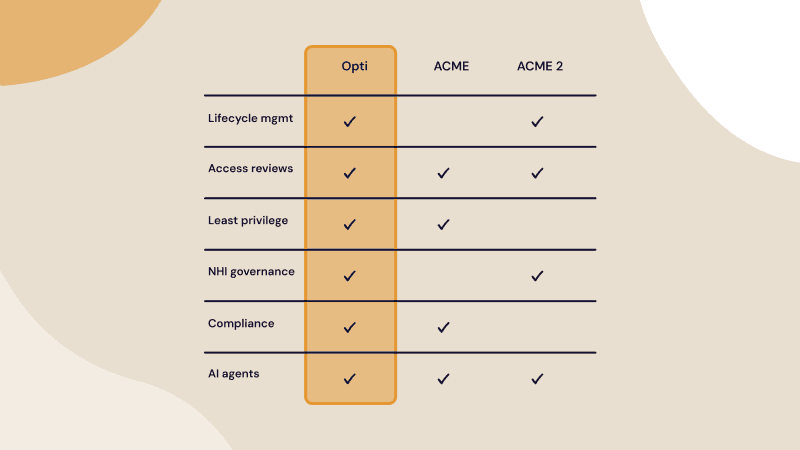
Modern AI-Native Access Review Tools | Opti | Continuous AI-driven access reviews with automated remediation | Risk-scored reviews, reviewer context with usage telemetry, closed-loop remediation, governance for human, non-human, and agentic identities | Focused on identity governance; organizations needing privileged access management (PAM) require a separate PAM solution |
Modern AI-Native Access Review Tools | Lumos | AI-assisted access reviews across SaaS, cloud, and on-premises environments | Comprehensive access discovery, AI review recommendations, anomaly detection, delta-based review workflows | Limited legacy system connectors; full platform implementation is needed to realize value; managed service ecosystem is relatively small |
Modern AI-Native Access Review Tools | Zluri | Automated SaaS-centric access certifications and identity visibility | Broad SaaS integrations, flexible data ingestion, recurring review workflows, AI-powered risk insights | Limited support for niche applications; some integrations are still maturing; feature gaps may require workarounds |
Enterprise Access Certification Platforms | SailPoint Identity Security Cloud | Enterprise-scale identity governance and continuous compliance | AI-driven access decisions, identity lifecycle management, continuous compliance, broad enterprise integrations | Complex implementation, expensive licensing, limited reporting flexibility, higher technical expertise required |
Enterprise Access Certification Platforms | Saviynt Identity Cloud | Cloud-native identity governance across human and machine identities | Unified identity platform, broad identity coverage, SaaS delivery, centralized visibility | Steep learning curve, inconsistent connector quality, performance issues across integrations, customization often requires vendor assistance |
Enterprise Access Certification Platforms | Omada Identity Cloud | Identity governance with workflow automation and rapid SaaS deployment | End-to-end IGA capabilities, no-code workflow configuration, automated lifecycle management, real-time identity visibility | SaaS edition lacks some on-premises capabilities; reporting is limited; large recertification campaigns can impact performance |
Benefits of User Access Review Solutions
User access review solutions streamline how organizations validate and control access across systems. Instead of relying on manual checks and fragmented data, they provide a consistent and auditable process. This leads to stronger security and more efficient operations.
Reduce risk: Identify and remove excessive or outdated access. This limits the chance of unauthorized use and reduces the attack surface.
Save time: Automate data collection, review workflows, and reporting. This replaces manual effort and shortens review cycles.
Compliance enablement: Help meet SOX, SOC 2, ISO 27001, HIPAA, PCI-DSS, NYDFS, and NIS2 audit requirements through structured reviews, evidence collection, and documented controls.
SoD enforcement and toxic combination detection: Detect segregation of duties conflicts and toxic access combinations that could create fraud, misuse, or compliance risks.
Enforce least privilege: Continuously validate that users only have the access they need. This prevents privilege creep over time.
Standardize review processes: Apply consistent workflows across teams and systems. This reduces errors and ensures reviews are completed correctly.
Scale with growth: Handle increasing numbers of users, roles, and systems without adding manual overhead.
Why Spreadsheet-Based Access Reviews Don't Scale
Spreadsheet-driven access reviews were built for a simpler era with fewer systems, simpler permission models, and smaller user populations. Today, they create operational drag, leave critical blind spots, and produce compliance theater rather than genuine security assurance. As environments grow more complex, the gap between what spreadsheet reviews promise and what they deliver only widens:
Manual effort makes quarterly reviews the ceiling, not the floor: Exporting, normalizing, and distributing review data turns every cycle into a cross-team coordination project, pushing most organizations to review access only quarterly or annually and leaving long windows where excessive permissions remain active.
No usage context, reviewers approve blindly: Spreadsheets show only static entitlement data with no login activity, last access dates, or risk scores, so managers default to approving access rather than questioning it, accelerating privilege creep across the environment.
No coverage for cloud entitlements, SaaS permissions, or service accounts: Flat spreadsheets cannot represent modern permission models, and fragmented per-system exports create blind spots where nested roles, cloud entitlements, and unowned service accounts fall entirely outside the review process.
No closed-loop remediation, revocations become follow-up tickets: Identifying inappropriate access is only the beginning; without automated enforcement, removals depend on manual tickets that can be delayed, forgotten, or implemented incorrectly with no validation.
Rubber-stamp approvals are undetectable: Spreadsheet workflows provide no visibility into reviewer behavior, making bulk approvals and checkbox certifications impossible to detect, creating a false sense of compliance while risky access goes unvalidated.
Key Features to Look For in UAR Software
Let’s review some of the key capabilities of UAR software in more detail.
Automated Campaigns
Automated campaigns are essential in UAR software, allowing organizations to schedule and launch periodic access reviews without manual intervention. These campaigns notify reviewers when it’s time to assess user permissions, provide a consistent workflow, and ensure that reviews are completed on time. Automated reminders, escalation paths, and progress tracking reduce the risk of overlooked reviews and help maintain compliance with internal and external requirements.
With automation, organizations can scale their access review processes across multiple departments, applications, and user groups. This scalability is critical for large enterprises or rapidly growing companies that manage a high volume of access requests. Automated campaigns also standardize the review process, reducing errors and inconsistencies that can arise from ad hoc or manual methods.
Policy-as-Code
Policy-as-Code in UAR software enables organizations to define and enforce access review policies using machine-readable configuration files. This approach allows for precise, repeatable, and auditable policy definitions, reducing ambiguity and manual interpretation. Policies can specify who must review access, under what conditions, and what actions to take in specific scenarios, ensuring consistent enforcement across the organization.
By codifying access review policies, organizations can easily update and version control their rules, facilitating alignment with evolving business requirements and regulatory changes. Policy-as-Code also supports integration with DevOps practices, enabling security teams to manage access controls in the same way they manage infrastructure and application code. This increases agility while maintaining strict governance over user access.
Closed-Loop Remediation and Access Revocation
Closed-loop remediation ensures that access review decisions lead directly to action. When a reviewer revokes access or identifies an issue, the UAR platform should automatically trigger remediation workflows instead of creating a disconnected ticket that requires manual follow-up. This reduces delays and lowers the risk of users retaining unnecessary access after a review is completed.
Strong UAR solutions integrate with identity providers, IAM platforms, and business applications to enforce changes automatically. This can include removing group memberships, disabling accounts, adjusting roles, or revoking privileged access. Automated enforcement improves consistency and eliminates gaps between review decisions and actual access changes.
Closed-loop remediation also provides verification that corrective actions were completed successfully. The platform should track the full lifecycle of each remediation event, including approval, execution status, timestamps, and exceptions. This creates a complete audit record and helps organizations prove that identified risks were fully addressed rather than simply documented.
Audit Trail Reporting
Audit trail reporting is fundamental for demonstrating compliance and supporting investigations. UAR software should capture detailed logs of all review activities, including who performed each review, the decisions made, and any changes to user access. These logs provide an immutable record that can be used to verify that access reviews are being conducted properly and to satisfy regulatory audits.
Comprehensive audit trails also support internal investigations and incident response by enabling organizations to trace access changes over time. Reporting features should allow for customizable views, export options, and integration with other compliance tools. By making audit data easily accessible, UAR software simplifies compliance management and enhances transparency across the organization.
Separation of Duties (SoD)
Separation of Duties (SoD) is a critical control in UAR software that prevents conflicts of interest by ensuring that no single individual has excessive or conflicting access rights. UAR tools should be able to detect and alert on SoD violations, helping organizations enforce policies that require different users to perform distinct roles in sensitive processes. This reduces the risk of fraud, error, or abuse of privileges.
Advanced SoD features allow organizations to define custom rules and monitor for exceptions in real-time. These controls are especially important in regulated industries, where failure to enforce SoD can result in significant compliance penalties. By automating the detection and remediation of SoD violations, UAR software helps maintain robust internal controls without adding administrative burden.
AI-Assisted Recommendations
AI-assisted recommendations use machine learning to analyze user access patterns and suggest actions during the review process. By identifying anomalies, redundant access, or risky permissions, AI helps reviewers make more informed decisions. This reduces the cognitive load on reviewers and speeds up the access review process while improving accuracy.
AI systems can improve review quality through peer-group analytics and behavioral analysis. Peer-group comparisons help identify users with access that differs significantly from others in similar roles or departments, making excessive privileges easier to detect. Last-used telemetry highlights permissions and applications that have not been accessed for extended periods. Some platforms also analyze reviewer behavior to detect anomalous approval patterns, such as bulk approvals completed unusually quickly.
Application and Identity Integrations
Robust integrations with applications and identity providers are crucial for UAR software, enabling organizations to aggregate user access data from diverse sources. These integrations allow the software to pull real-time access information across cloud and on-premises environments, ensuring a complete and accurate view of user permissions.
Integrations also support automated provisioning and deprovisioning, reducing manual effort and the risk of errors. UAR software should offer pre-built connectors for popular enterprise applications, directories, and cloud platforms, as well as APIs for custom integrations. This flexibility ensures that organizations can extend access reviews to all critical systems and adapt to evolving technology landscapes.
Coverage for Human, Non-Human, and Agentic Identities
Modern environments contain far more than employee accounts. UAR software must support visibility and governance for human users, service accounts, API keys, machine identities, workloads, bots, and emerging agentic AI systems. Non-human identities often have elevated privileges and persistent access, making them a significant security risk if left unmanaged or unreviewed.
Strong UAR platforms can classify different identity types and apply appropriate review policies to each. For example, service accounts may require ownership validation and credential rotation checks, while AI agents may require tighter oversight of delegated permissions and system actions. This ensures reviews are relevant to the operational role of each identity instead of treating all accounts the same way.
Comprehensive identity coverage also improves risk analysis by exposing hidden relationships between users, applications, automation tools, and infrastructure. Organizations can identify orphaned accounts, unused credentials, overprivileged workloads, and unauthorized machine access before they become security issues. As environments become more automated, broad identity coverage becomes essential for maintaining accurate governance and reducing attack surfaces.
HRIS and HR System Integrations
Integrations with human resources information systems (HRIS) and HR platforms help UAR software maintain accurate identity and organizational data. Employee status, department, manager relationships, job titles, and employment changes are critical inputs for access reviews. Without reliable HR data, organizations risk reviewing outdated accounts or missing access changes tied to employee onboarding, transfers, or departures.
Direct integration with systems such as Workday, SAP SuccessFactors, or Oracle HCM allows UAR platforms to automatically synchronize workforce changes. This enables dynamic review scoping based on role changes or organizational hierarchy and helps ensure reviewers are assigned correctly. HR-driven triggers can also initiate immediate access reviews for sensitive events such as terminations or role transitions.
These integrations improve compliance by aligning identity governance with the authoritative source of workforce data. Automated synchronization reduces manual administration and lowers the likelihood of stale accounts or inappropriate access persisting after employment changes. Accurate HR context also strengthens audit readiness by linking access decisions to verified business roles and organizational structures.
Usage Telemetry and Reviewer Context
Usage telemetry gives reviewers additional context about how access is actually being used. Instead of reviewing permissions in isolation, reviewers can see login activity, application usage frequency, privileged actions, failed authentication attempts, and other behavioral signals. This helps reviewers identify unnecessary or suspicious access more effectively.
Contextual review data reduces the likelihood of rubber-stamp approvals. For example, reviewers can quickly identify accounts that have not used certain permissions for months or detect unusual access patterns that may indicate excessive privileges. Usage insights also help prioritize high-risk reviews by focusing attention on accounts with elevated activity or sensitive access.
Effective UAR platforms present telemetry data directly within the review workflow to streamline decision-making. Reviewer context can include peer comparisons, historical decisions, entitlement descriptions, business justification, and risk scoring alongside activity data. By combining identity information with behavioral insights, organizations improve review quality and make access decisions more consistent and evidence-based.
Access Review Metrics Your Software Should Track
Tracking access review metrics helps organizations measure the effectiveness of their user access review (UAR) program. Without clear metrics, it is difficult to identify process gaps, reviewer behavior issues, or delays in remediation. Strong reporting also helps demonstrate compliance maturity during audits and internal assessments.
Modern UAR platforms should provide dashboards and reporting that measure both operational efficiency and review quality. These metrics help security and compliance teams continuously improve review processes, reduce risk, and validate that access governance controls are working as intended:
On-time completion rate: Measure the percentage of access reviews completed before their assigned deadlines. Low completion rates may indicate inefficient workflows, overloaded reviewers, or poor campaign management. Tracking this metric helps organizations identify bottlenecks and ensure reviews are completed within compliance windows.
Revocation rate: Track how often access is removed during review campaigns. A very low revocation rate may suggest that reviews are overly permissive or treated as routine approvals. Higher revocation rates can indicate active cleanup of excessive access and stronger enforcement of least privilege principles.
Average time-to-remediate: Measure the time between a review decision and the actual enforcement of access changes. Long remediation times increase the risk window where inappropriate access remains active. UAR platforms with closed-loop remediation can significantly reduce this metric through automated enforcement workflows.
Rubber-stamp rate: Identify reviewers who approve all access requests without meaningful validation. This can include bulk approvals completed unusually quickly or repetitive approval behavior across campaigns. Monitoring rubber-stamp activity helps organizations improve review quality and detect ineffective certifications.
Review escalation rate: Track how often reviews require escalation due to missed deadlines, unclear ownership, or unresolved decisions. Frequent escalations may indicate workflow design issues or poor accountability among reviewers.
Exception rate: Measure the number of policy exceptions granted during access reviews. A growing exception rate may indicate overly broad access models, weak role design, or gaps in governance policies.
High-risk access approval rate: Track how often privileged or high-risk access is approved during certification campaigns. This helps security teams identify areas where sensitive permissions are accumulating or receiving insufficient scrutiny.
Inactive access detection rate: Measure how frequently reviews identify accounts or permissions that have not been used within a defined period. This metric helps organizations reduce unnecessary standing access and improve attack surface management.
SoD violation detection rate: Track the number of segregation of duties conflicts identified during reviews. Monitoring this metric helps organizations evaluate the effectiveness of SoD controls and identify business processes with elevated fraud or compliance risk.
Reviewer participation and coverage: Measure reviewer responsiveness and the percentage of systems, applications, and identities included in review campaigns. Complete coverage is critical for ensuring that high-risk systems and non-human identities are not excluded from governance processes.
Certification reassignment rate: Track how often review tasks are reassigned because the original reviewer lacks sufficient knowledge or ownership. High reassignment rates may indicate unclear ownership structures or weak role definitions.
Audit evidence completeness: Measure whether reviews contain all required evidence, including reviewer decisions, timestamps, remediation records, and attestation logs. Incomplete audit records can create compliance gaps even when reviews were technically performed.
Notable User Access Review Software
Modern AI-Native Access Review Tools
1. Opti

Opti is an AI-native identity security platform that turns access reviews from a periodic, manual process into a continuous operation. Purpose-built AI models surface high-risk access first, auto-handle low-risk decisions, and give reviewers the usage context they need to certify with confidence, not guesswork. Opti covers human, non-human, and agentic identities from a single platform and deploys in hours, not months.
Opti’s key features include:
Risk-scored access reviews: high-risk access flagged and prioritized, low-risk deprioritized or auto-handled
Reviewer context built in: last-used telemetry, peer comparisons, and behavioral signals surface automatically so reviewers stop guessing
Closed-loop remediation: revocations are executed and verified, not just ticketed
Comprehensive coverage: human, non-human, and agentic identities
Continuous access intelligence: governance doesn't stop between campaigns
Audit trail that maintains itself: documentation is automatic, not a pre-audit scramble
Limitation: Opti is purpose-built for identity governance; organizations looking for a combined access review and PAM platform in a single tool will need to pair it with a dedicated PAM solution.
2. Lumos

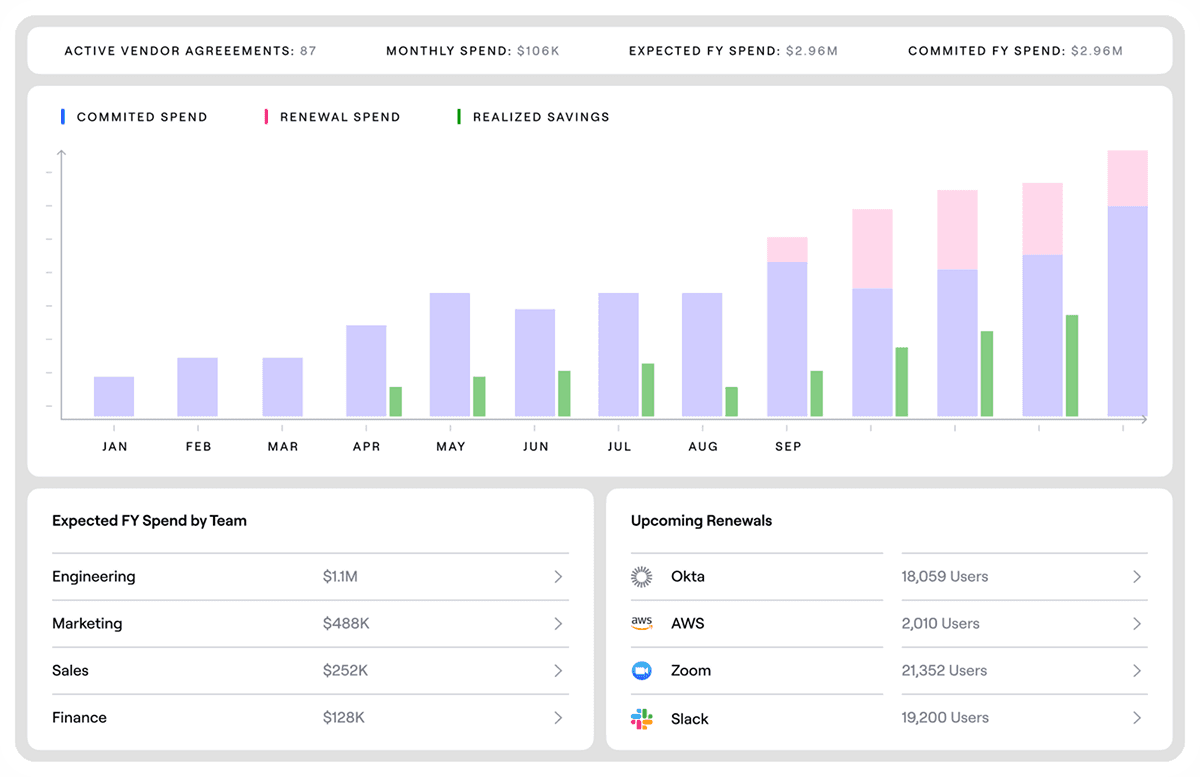
Lumos is an AI-native user access review platform that automates how organizations discover, review, and enforce access decisions across their environment. It aggregates identity and access data from SaaS, cloud, and on-prem systems, then uses AI to analyze permissions, highlight risks, and guide reviewers with clear recommendations.
Key features include:
Comprehensive access discovery: Automatically maps all identities, accounts, and permissions across SaaS, cloud, and on-prem systems. This removes the need to manually gather access data and ensures full visibility into every entitlement.
Granular, real-time visibility: Provides detailed, entitlement-level insight into user access across identity providers, HR systems, IT service tools, and applications, helping teams identify exactly who has access to what at any moment.
AI-driven review recommendations: Uses AI to analyze identity attributes, usage patterns, and context to generate recommendations with clear rationale. This helps reviewers focus on high-risk access instead of reviewing everything manually.
Anomaly and risk detection: Automatically flags unusual access patterns, privileged accounts, and separation-of-duties violations so reviewers can quickly address potential security risks.
Delta-based review workflows: Surfaces only new or changed access since the last review cycle, reducing noise and allowing teams to complete reviews faster without revalidating unchanged permissions.
Limitations (as reported by users on Gartner):
Limited connector coverage for legacy and niche systems: Out-of-the-box connectors support only the most popular SaaS applications, while older, legacy, and on-prem systems have very limited connectivity.
All-or-nothing implementation: The platform must be fully implemented (including access requests, UAR, lifecycle management, and entitlement audit management) to function as advertised; a piecemeal deployment results in a half-functioning system.
Inconsistent support responsiveness: Some tickets receive timely responses while others take days to resolve, leading to unpredictable support experiences.
Limited managed service partner ecosystem: A small number of strategic managed service partners reduces options for organizations that need end-to-end delivery support.
Source: Lumos
3. Zluri

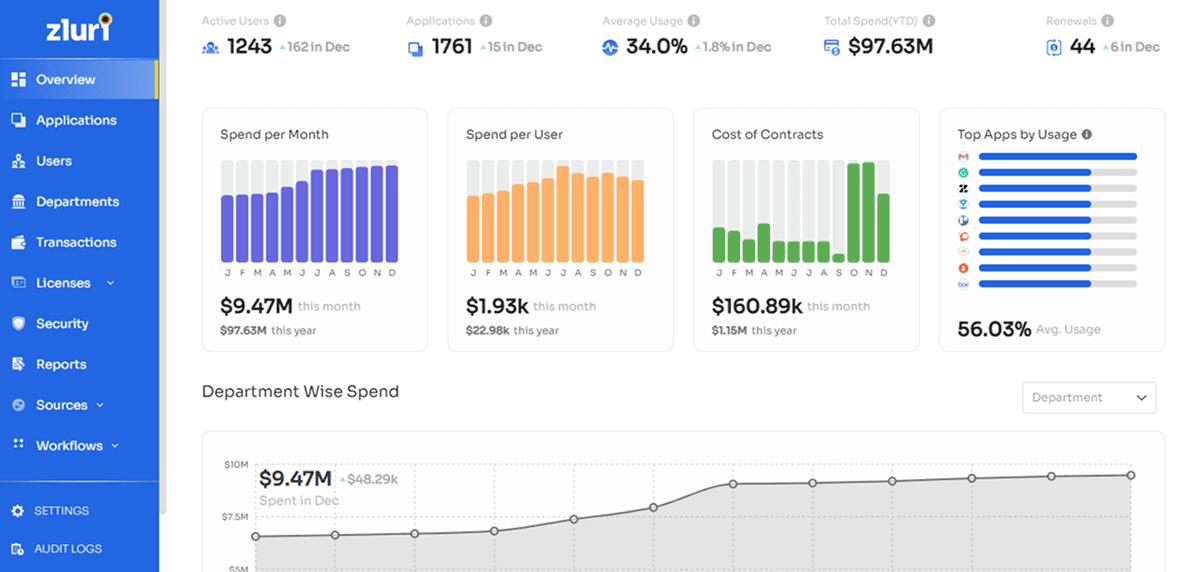
Zluri is an automated user access review platform that simplifies how organizations manage and certify access across applications and identity systems. It connects to SaaS, cloud, and on-prem environments to pull user and permission data, then orchestrates end-to-end review workflows with automation and built-in intelligence.
Key features include:
Comprehensive access visibility: Integrates with SaaS apps, cloud platforms, on-prem systems, identity providers, and HR tools to collect user and permission data directly from the source. Provides a unified view of identities, access rights, group memberships, and user attributes such as roles and departments.
Flexible data ingestion: Supports multiple methods to bring in access data, including API integrations, SSO group mapping, SDKs, and CSV uploads. This ensures coverage even for systems without native connectors.
Automated access review workflows: Automates end-to-end review processes with recurring certifications, pre-built templates, multi-level approvals, delegation, and automated reminders. Reduces manual coordination and ensures timely completion of reviews.
Bulk and low-risk approvals: Enables reviewers to quickly approve low-risk access in bulk, reducing effort and allowing them to focus on higher-risk accounts.
AI-powered risk insights: Identifies risky identities such as orphaned accounts, overprivileged users, and external users. Provides real-time risk visibility so reviewers can prioritize critical issues.
Limitations (as reported by users on G2):
Limited integrations: Users face challenges due to limited integrations, affecting the functionality and usability of the platform, particularly for less common or custom applications.
Integrations still in development: Several key integrations needed by users are still in active development at time of deployment, requiring workarounds and adding friction during onboarding.
Missing features: Users note missing features that create challenges during implementation and limit overall effectiveness, particularly around integration depth and data capture capabilities.
Small business limitations: Organizations with many niche or internal tools find limited support, as smaller or custom applications are often not covered by native integrations.
Source: Zluri
Enterprise Access Certification Platforms
4. SailPoint Identity Security Cloud

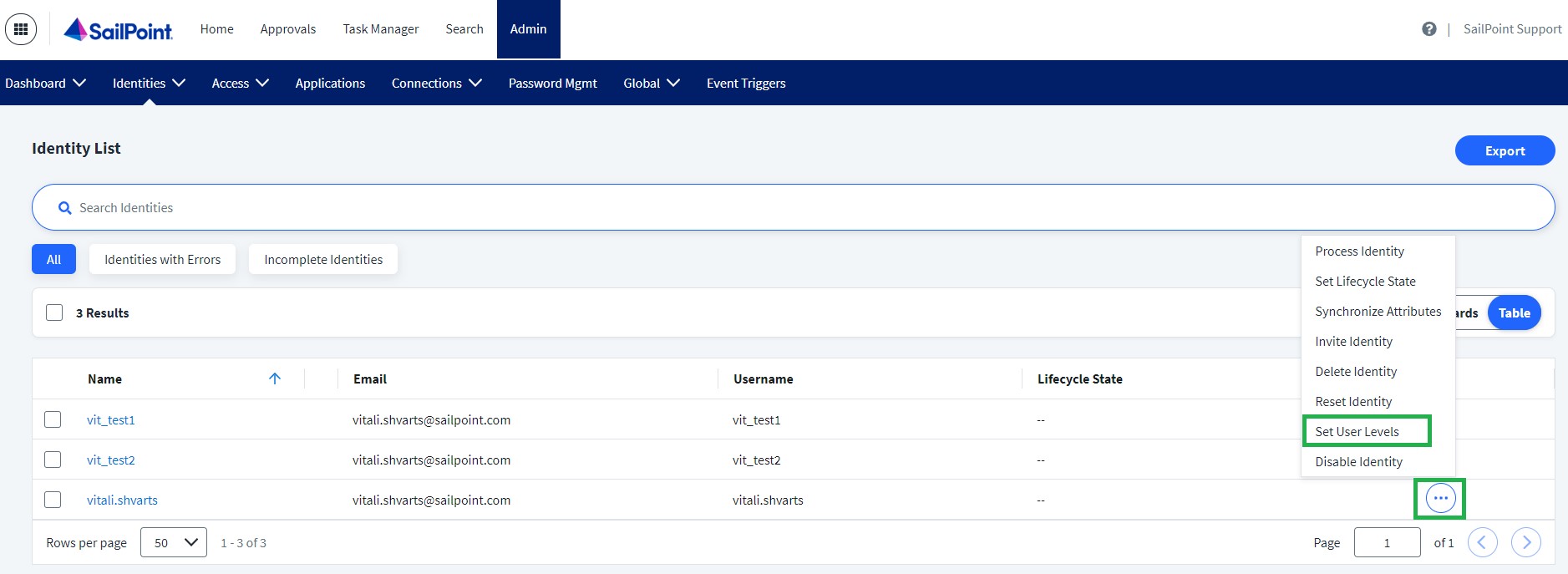
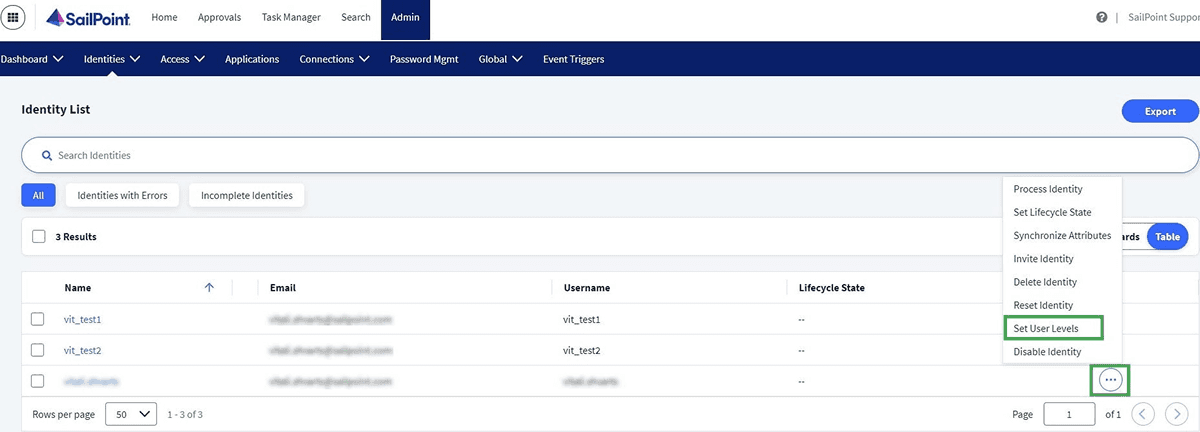
SailPoint Identity Security Cloud is an identity governance platform that helps organizations manage and secure access for all identities across the enterprise. It centralizes identity, access, and entitlement data, then applies AI and automation to ensure users only have the access they need at the right time.
Key features include:
Centralized identity security platform: Unifies identity, access, and security data into a single system, providing a consistent approach to governing access across the entire organization.
Automated access decisions: Uses automation to analyze identity context, behavior, and risk signals, enabling smarter and faster access certifications and provisioning decisions.
Real-time visibility and insights: Provides continuous visibility into all identities and their access across systems, helping teams quickly identify risks and enforce appropriate controls.
Identity lifecycle management: Automates joiner, mover, and leaver processes, ensuring timely provisioning and deprovisioning of access while preventing access creep.
Continuous compliance management: Maintains ongoing compliance through automated access reviews, policy enforcement, and audit support, reducing the effort required for regulatory requirements.
Limitations (as reported by users on PeerSpot):
Weak reporting and analytics: Reporting capabilities are considered inadequate and difficult to use, limiting teams' ability to extract meaningful insights from identity data.
High technical barrier to entry: The solution demands advanced skills, including Java, making it less accessible for teams without deep technical expertise.
Expensive licensing: The platform is considered costly, particularly when additional module licensing is factored in alongside the base subscription.
Technical support quality: Support response times and the depth of assistance provided require improvement, with users noting deficiencies in resolving issues adequately.
Source: SailPoint
5. Saviynt Identity Cloud

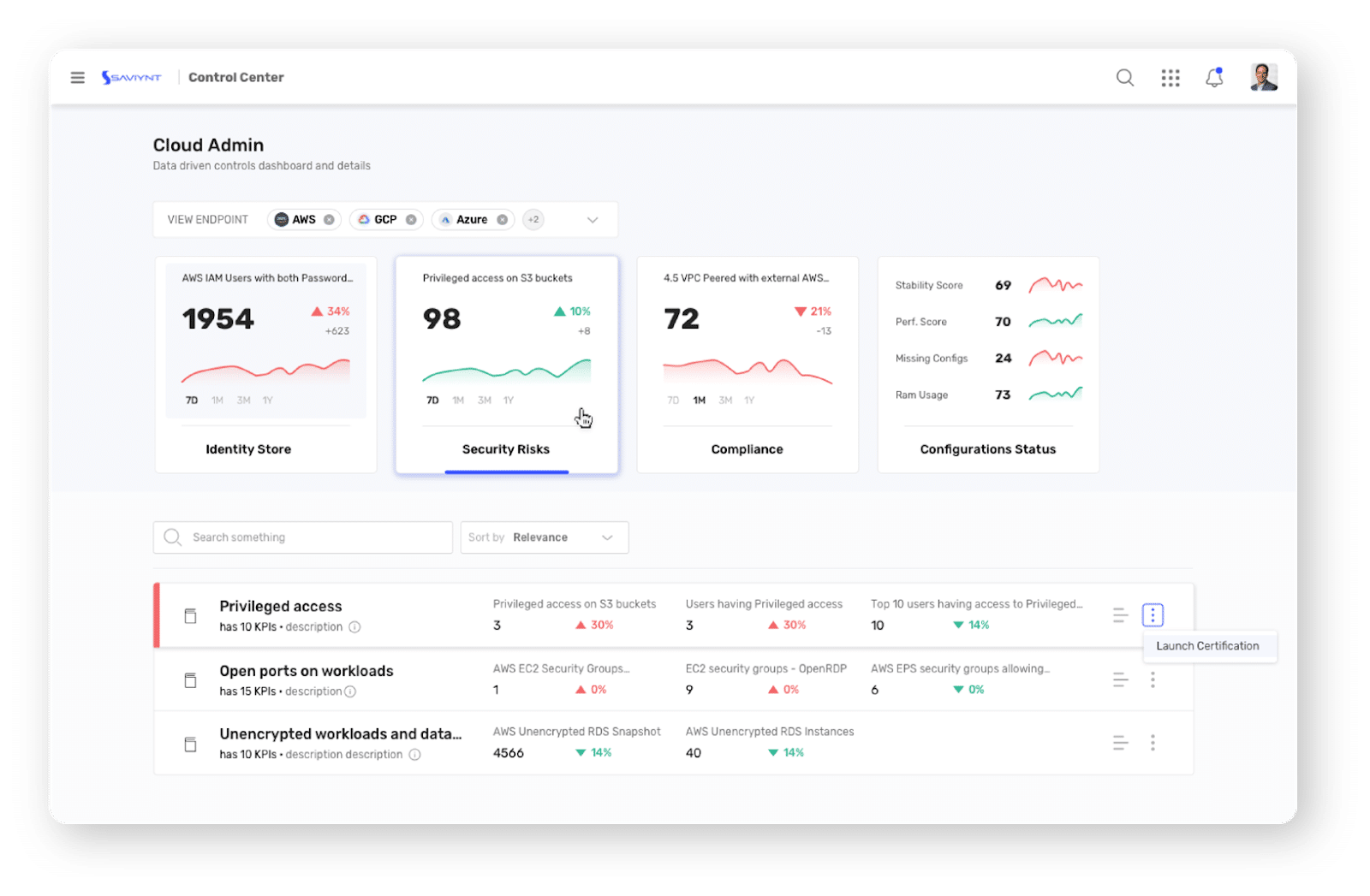
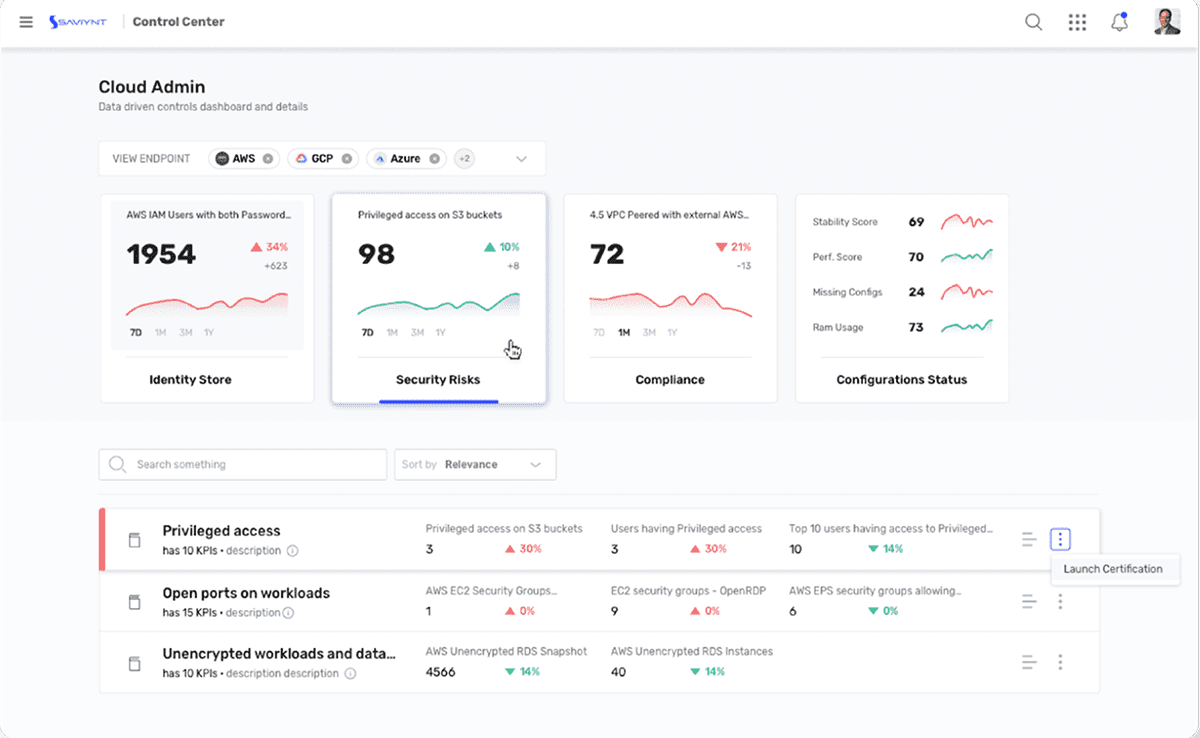
Saviynt Identity Cloud is an identity security platform that enables organizations to govern and protect access across all identities, applications, and environments from a single system. It centralizes identity data and applies intelligence to manage access for both human and non-human identities, including AI agents and machines.
Key features include:
Unified identity security platform: Brings identity governance, access control, and risk management into a single SaaS platform, reducing tool sprawl and simplifying operations.
Comprehensive identity coverage: Governs all identity types, including employees, contractors, service accounts, machines, and AI agents, ensuring consistent security across the enterprise.
Broad application and environment integration: Extends across SaaS, cloud, and on-prem systems, providing seamless integration with the full technology stack and enabling governance at scale.
Centralized visibility and control: Consolidates identity and access data into one view, helping teams understand who has access to what and identify potential risks quickly.
Limitations (as reported by users on G2):
Complex interface with a steep learning curve: The interface can feel overwhelming for new users, and advanced configurations require significant technical expertise, which can slow implementation for smaller teams.
Limited customization without vendor involvement: The platform lacks self-service customization options, requiring users to go back to the vendor to make changes.
Performance issues across integrations: Users report performance problems, particularly when synchronizing data between different applications.
Inconsistent connector quality: While hundreds of connectors are advertised as ready to use, many require significant additional configuration and coding work before they function properly.
Source: Saviynt
6. Omada Identity Cloud

Omada Identity Cloud is a SaaS-based identity governance and administration (IGA) platform that helps organizations manage identity lifecycles, govern access, and reduce risk through automation and analytics. Delivered as a cloud service, the platform integrates identity insights with automated actions.
Key features include:
Comprehensive IGA capabilities: Covers identity lifecycle management, access governance, provisioning, and risk analytics in a single platform, providing end-to-end identity management.
Workflow automation: Automates identity processes, reducing manual effort and enabling faster, more accurate access decisions and approvals.
No-code configuration: Allows teams to configure workflows and governance policies without complex coding, making the platform easier to deploy and adapt to changing needs.
Rapid deployment and time-to-value: Delivered as a SaaS solution with a structured implementation approach, enabling organizations to achieve operational benefits in a short timeframe.
Real-time identity visibility: Provides up-to-date insights into identity activities, access rights, and risks, helping teams quickly detect and respond to issues.
Limitations (as reported by users on PeerSpot):
SaaS version feature gap: The cloud version lacks features available in the on-premise version, leaving SaaS customers with a less complete product.
Performance and scalability issues: The platform slows noticeably during re-certification processes, with scalability concerns surfacing for large or complex deployments.
Limited reporting functionality: Reporting features are constrained and lack the customization and clarity needed for effective identity governance oversight.
Customization requires vendor support: Configuration changes often require contacting support rather than being manageable by administrators directly, hindering day-to-day agility.
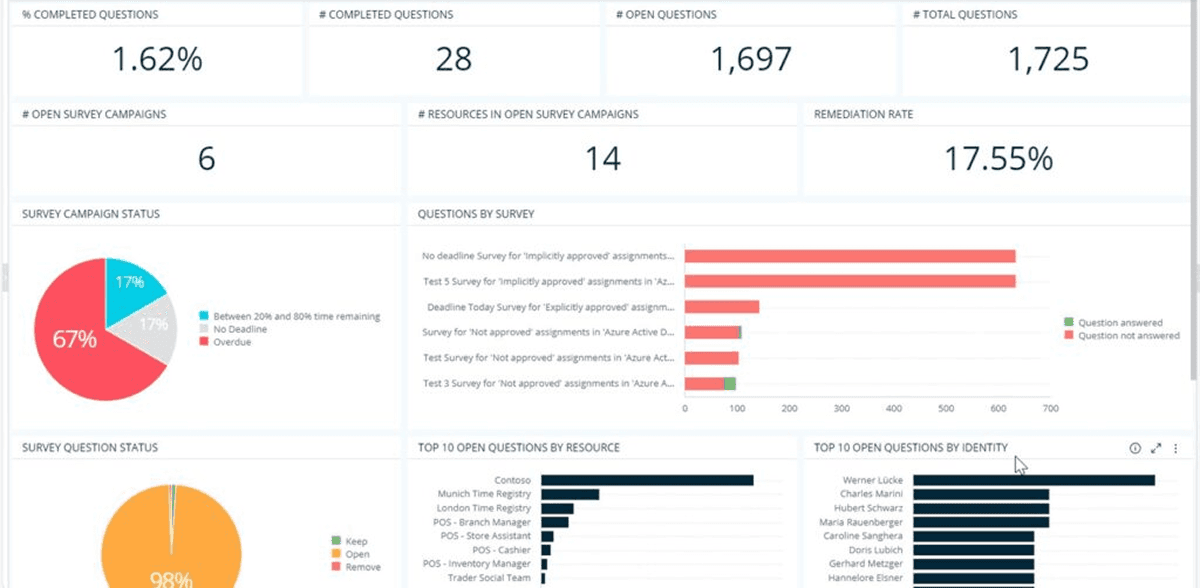
Source: Omada
Conclusion
User Access Review (UAR) software is a critical pillar of modern identity governance. By replacing manual, error-prone processes with automated auditing and remediation, organizations can effectively enforce the principle of least privilege. These solutions not only reduce the risk of unauthorized access and data breaches but also ensure continuous alignment with rigorous global compliance standards.